Skip to content
Menu

Refine · Selected-section AI editing

Keep the take. Change the moment.

When a scene is almost right, give the part that needs work its own direction. Select a section, describe the change and show what you mean with a reference image.

Free story planning. Video generation on Pro and Studio.

storydirectorRefine a moment
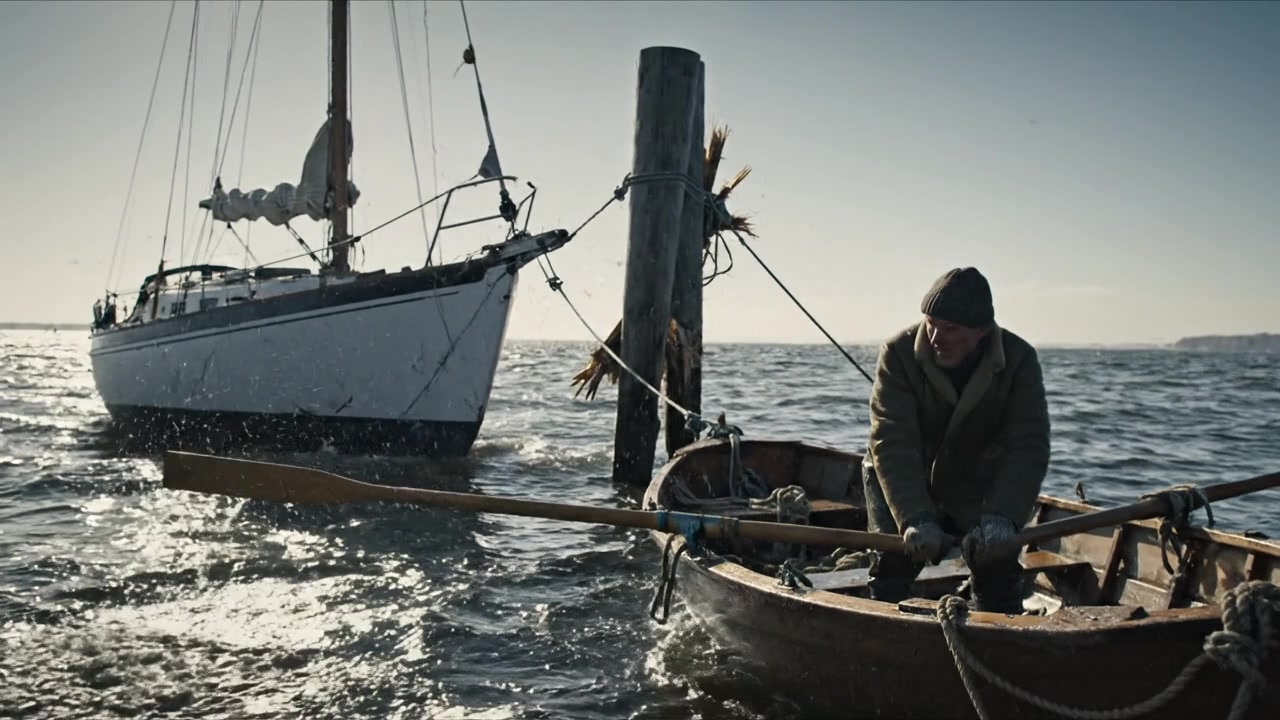
A fisherman rows across open water beside a sailboat.
Original
Selected section
Original
Your direction

Move this moment to a quiet harbour. Keep the character, the movement and the camera framing.

Workflow illustration · imagery from the StoryDirector archive.

Selected-section AI editing

A good scene deserves a closer edit.

A wrong prop, a distracting setting, an appearance that breaks the story. Work on that moment, compare the returned edit and keep the version that belongs in your film.

01

Find the moment

Split at the playhead or use detected shot changes as a starting point. Choose the section you want to edit. The request uses that selected footage, so your instructions can focus on what happens there.

Choose the product close-up rather than the entire scene.

02

Describe the change, then show it

Use clear instructions such as replace, remove or change. Attach a reference and explain its role. The rewrite tool can help clarify your request before you submit it.

Replace the object with this reference. Keep the actor’s movement and the camera framing.

03

Decide what the edit should preserve

Control the starting and ending frame references independently. Keep original sound when changing only the picture. Review the quoted cost, then compare the new edit with your earlier version.

Keep the opening framing; allow the ending to change with the new object.

From intent to result

A few decisions.
A more deliberate film.

  1. 01

    Select the section

    Split manually or at detected shot changes.

  2. 02

    Direct the change

    Add your words and optional reference images.

  3. 03

    Choose the version

    Compare the result, keep your favorite and save the new cut.

Before you begin

Questions worth asking.

See plans and credit details →
Will it send my entire scene for editing?

It sends the section you selected. Split the source where you want the change to begin and end, then confirm that segment and its quoted price.

Can I remove a split or return to the original?

Yes. The editor supports removing split boundaries and choosing which available version to retain. Earlier takes remain available as you refine the cut.

Does the edit change my sound too?

You can keep the original sound for a picture-only edit. Voice and dialogue tools provide a separate workflow when the sound itself needs attention.

Will it get the change right the first time?

Not always. Specific requests and clear references help, but generated edits need review. Compare versions and refine the request if the result misses your intent.

Keep shaping the film

Connected to your next step.

Make it in StoryDirector

Give the good take another chance.

Start with your idea. Shape the details as your film takes form.